ChimeraXR Mobile App
VR companion app built with React Native for iOS & Android
Developed using the React Native front-end framework, the ChimeraXR mobile app was built to enhance the user experience by providing a seamless connection to the ChimeraXR VR system via cloud networking. The app enables users to easily access and view personalized data sets tied to their learning objectives and completed VR exercises, while offering full control over the VR experience through a clean, intuitive interface.
Designed for both iOS and Android, the mobile app delivers cross-platform accessibility, allowing users to manage and monitor their training sessions directly from their devices.
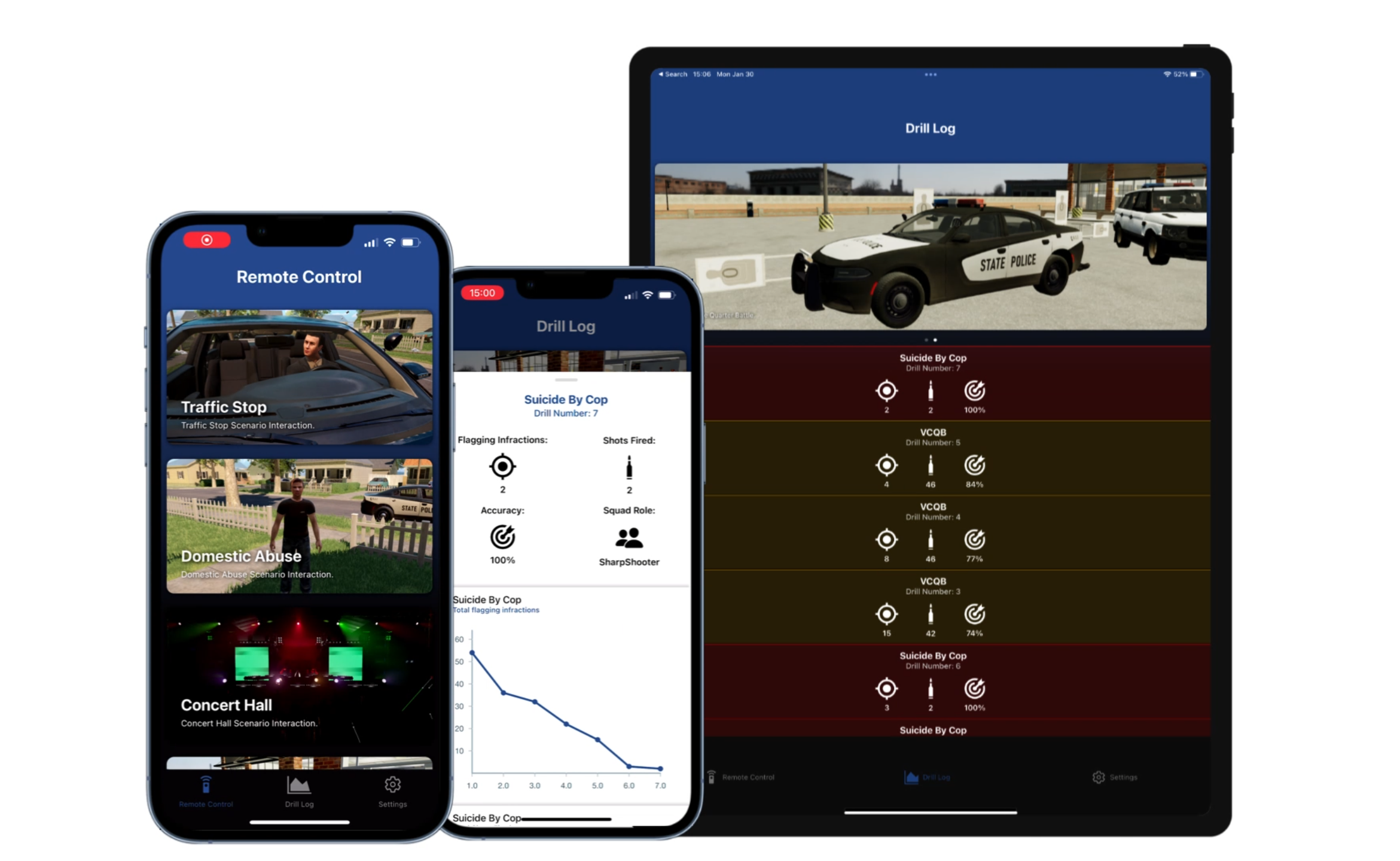
Drill Logs
The Drill Log screen enables users to seamlessly connect to the ChimeraXR VR system via cloud networking, providing real-time access to data sets from completed exercises.
By selecting any completed drill, users can view detailed performance statistics and interactive data visualizations that offer insights into key metrics such as total shots fired, overall accuracy, and hover infractions. This functionality allows users to track progress over time, analyze performance, and identify areas for improvement — all through a clean and user-friendly mobile interface.
Remote Control
The intuitive Remote Control screen enhances the ChimeraXR mobile experience by offering seamless spectator control through a user-friendly iOS and Android interface. This screen streamlines the end-to-end control process, allowing users to remotely manage and interact with the VR experience in real time.
The spectator control system supports two distinct control modes:
- Cloud-Based Remote Control: Utilizes the internet to send HTTP requests that trigger specific events within the software, enabling remote control of standalone VR systems even when not on the same local network.
- LAN-Based Remote Control: Sends direct requests over a local network, allowing control without an internet connection — primarily used for PC VR software builds with a locally hosted dedicated server.
Together, these modes offer a versatile, reliable, and platform-agnostic solution for real-time interaction with VR systems.
Account Registration
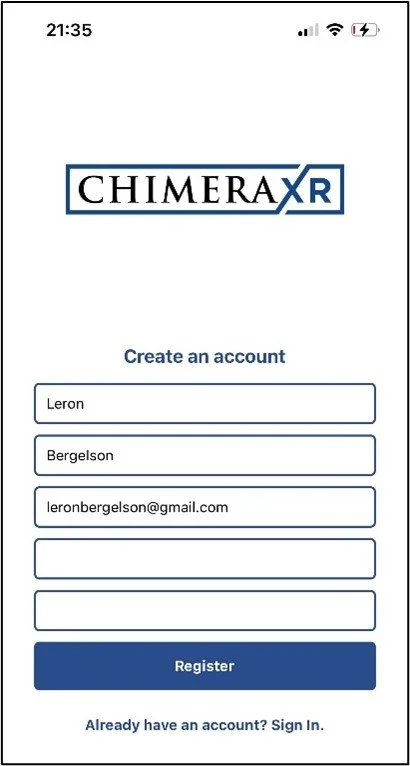
Creating an account with the ChimeraXR mobile app is quick and user-friendly. To get started, navigate to the Settings screen, tap Login, and then select Register to create a new account.
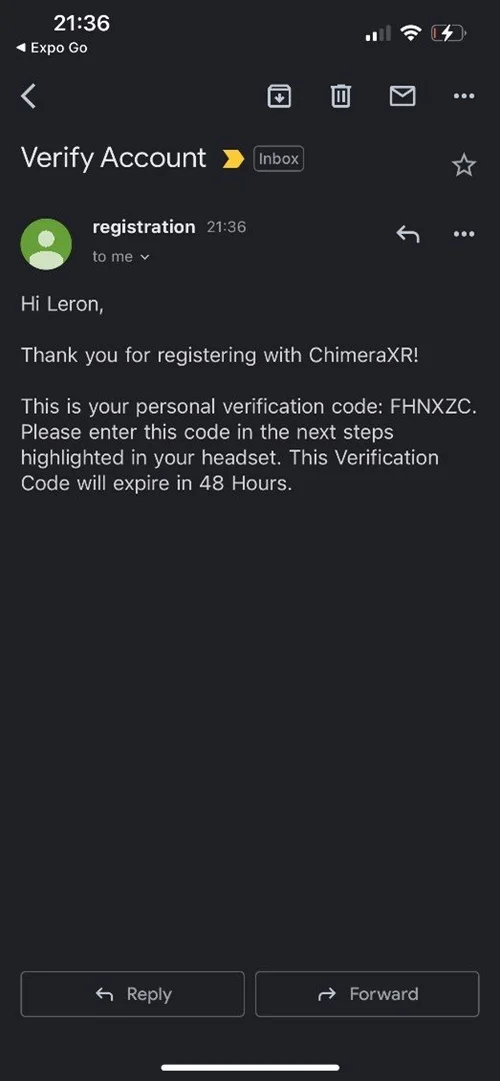
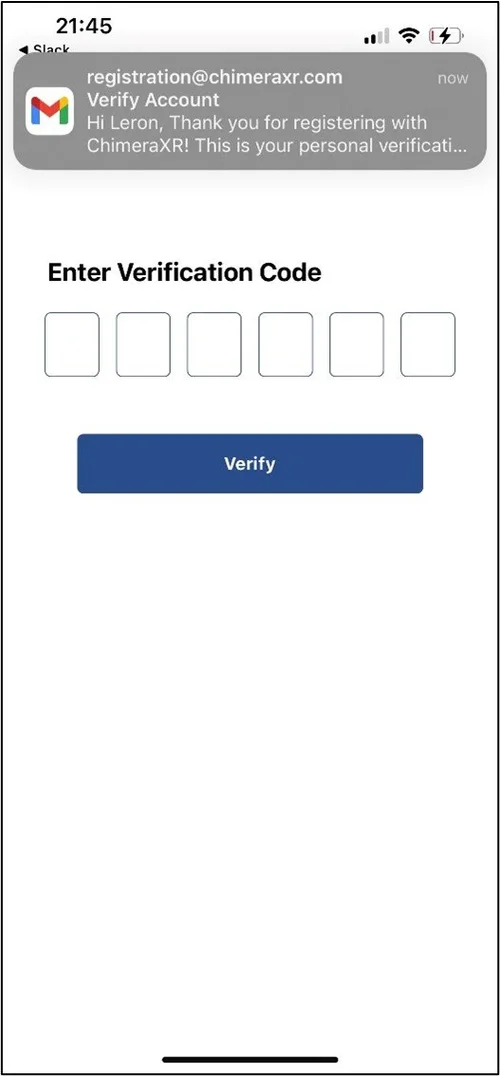
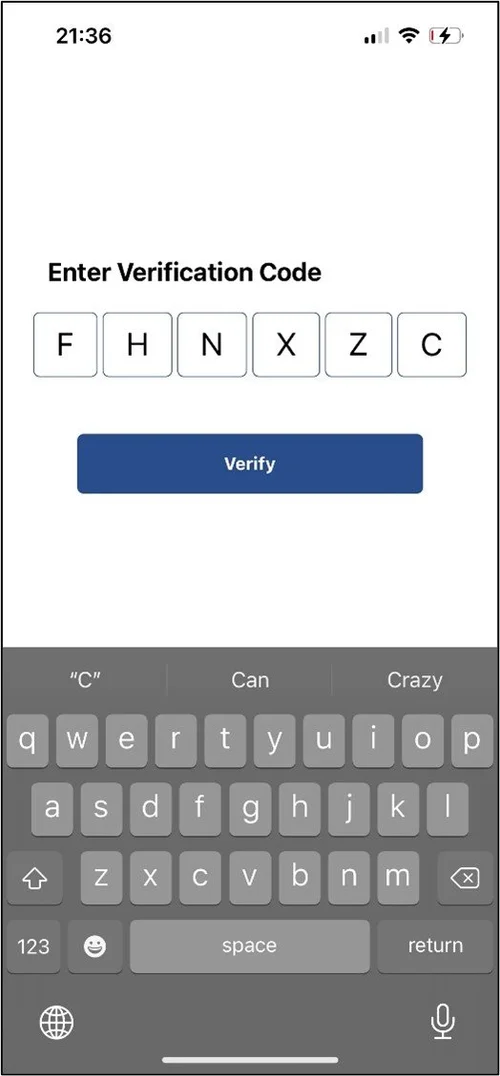
Users are prompted to enter their full name, email address, and password. After submitting this information, a verification code is sent directly to the user's inbox. Once received, the code is entered on the One-Time Password (OTP) screen, completing the secure account creation process.
This intuitive onboarding flow ensures a smooth and secure user experience, enabling quick access to the ChimeraXR platform and its integrated VR features.